
Your crews already know the spots where the network gives out. The harder question is what you can do about it.
Some of it is out of your control: where the towers are, what the terrain looks like. But a lot of what decides how well a truck connects at the edge of coverage happens on the truck itself. And some of it can quietly cancel out the upgrades fleets pay for.
Cellular antenna performance: key takeaways
- A higher-gain antenna cannot recover signal lost through poor placement, long cable runs or degraded connectors.
- Evaluate the complete RF path from antenna to modem, not the antenna specification alone.
- If downloads work but uploads fail, investigate uplink conditions and whether HPUE is supported.
- When no usable cellular network exists, antenna changes will not replace the need for another connectivity layer.
Six factors that affect cellular antenna performance on the truck
- Signal strength and signal quality. A strong signal is not always a clean one. Interference and congestion can make a "full-bars" connection perform poorly.
- The truck body. A metal cab blocks a large share of the signal. Equipment that relies on antennas inside the cab gives up performance before it starts.
- Antenna placement. A roof-mounted antenna with a clear view in every direction generally outperforms one tucked behind a dashboard or partly blocked by equipment.
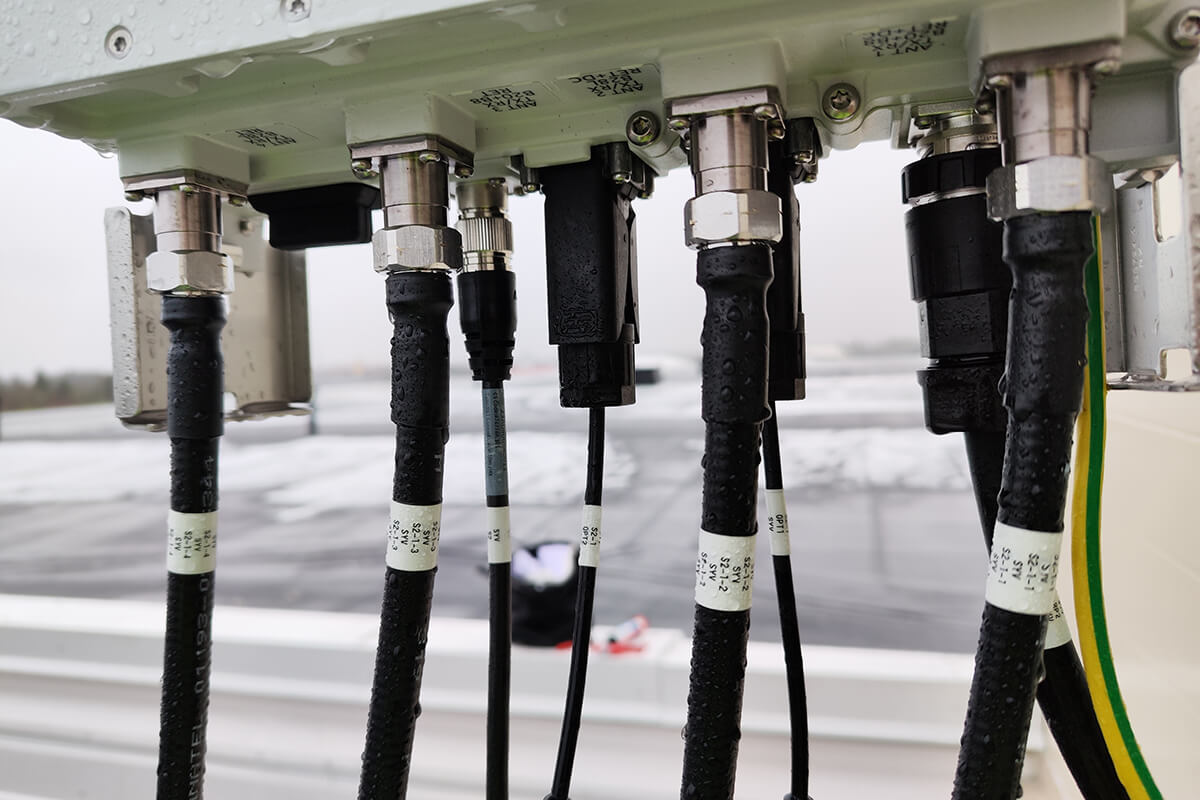
- The RF path. The signal has to travel from the antenna to the modem through cables and connectors. Every part of that path can cost performance.
- Uplink versus downlink. Downloads can work while uploads struggle. For utility field work, the upload is often the bottleneck.
- Edge-of-network conditions. In fringe areas, small losses matter more because there is less signal to spare.
How RF cable loss can offset antenna gain
In the first post of our series on where fleet connectivity gets tested, we looked at how much signal a typical cable run loses. Here’s why that matters when you’re deciding what to change.
Signal loss is measured in decibels (dB), and the scale isn’t linear. Small numbers have big effects:
- Every 3 dB of loss cuts signal power roughly in half. At 6 dB of loss, only about 25% of the original power remains. (CoaxRF)
- A typical cellular antenna adds only about 4–5 dB of gain. (5Gstore)
- Each connector costs roughly 0.5 dB, and cable loss rises with cable length and frequency. Higher 5G and LTE bands lose more over the same run. (5Gstore)
Put those together. A long, imperfectly routed cable run with several connectors can lose as much signal as a good antenna gains. The fleet pays for a better antenna, but the modem never sees the benefit.
And it doesn’t stay fixed. Bends, vibration, moisture and wear can add more loss over the life of the truck. Bringing the modem and antenna closer together shortens and controls that path.
Uplink vs. downlink: is the upload the real problem?
Connectivity runs in two directions.
Downlink is data coming to the truck: maps, work orders, updates.
Uplink is data leaving the truck: photos, video, inspection reports and field data.
Phones and modems transmit at much lower power than cell towers, so uploads usually fail first at the edge of coverage.
That hits hardest on:
- Inspection and damage-assessment uploads
- Video, including dash cameras and live streams
- Drone imagery
- Large field files
- Real-time field data sent back to the control center
Some technology is built specifically to strengthen uploads. High Power User Equipment (HPUE) lets a device transmit at higher power than a standard cellular device: Power Class 1 (31 dBm) instead of the standard Power Class 3 (23 dBm). (Peplink) On networks that support it, that extra power can extend usable range and improve upload performance.
One important limit: in the U.S., the highest-power HPUE operation is tied to FirstNet Band 14, so its value depends on network and device support.
What antenna placement and HPUE cannot fix
Better antenna placement, a shorter cable path and HPUE can all make an existing cellular connection more usable.
None of them create coverage where no usable cellular network exists. For those places, you need a different layer, such as satellite.
Cellular connectivity troubleshooting table
| If the problem is… | Investigate… |
|---|---|
| Weak cellular signal inside the truck | Antenna placement |
| Good antenna placement but poor RF performance | The cable and connector path |
| Downloads work but uploads struggle | Uplink performance and high-power options |
| One carrier performs inconsistently across the territory | Network flexibility (next post) |
| No usable cellular network exists | Satellite or another non-cellular option |
Where Airgain fits
AirgainConnect Fleet (AC-Fleet) puts the modem directly under the antennas in one rooftop unit, which shortens the cable path. AirgainConnect MegaFi 2 is a 5G HPUE mobile router for AT&T and FirstNet, built for weak-signal, edge-of-network work where uploads are the bottleneck. Its high-power uplink applies on FirstNet Band 14.
Know where your trucks lose signal?
Tell us which problem you’re seeing. We’ll help you work out where to look. Contact us →
Next in this series: Five Ways to Add a Backup Network (and How to Pick One).